
Life Application Study Bible
Tecarta, Inc.Books & Reference
4.7727.00 Reviews
- Version
- Varies With Device
- Installs
- 10.00K
- Age Rating
- Everyone
Screenshots

Our Review of Life Application Study Bible
 Analysis by Appyee
I find a study Bible most useful when I arrive with a question rather than simply opening pages at random. With the Life Application Study Bible, I can read a passage, pause at an unfamiliar name or idea, and use the surrounding notes to think about what the text might mean in context. It is a Bible app for readers who want more guidance than a plain digital text provides, though its commentary-led approach will not suit everyone.
Getting Started with the App
First things first, getting the Life Application Study Bible app onto your phone is as easy as pie. Whether you’re on Android or iOS, the download process is straightforward and quick. Once installed, you’re greeted with a clean, user-friendly interface that even the least tech-savvy among us can navigate without breaking a sweat.
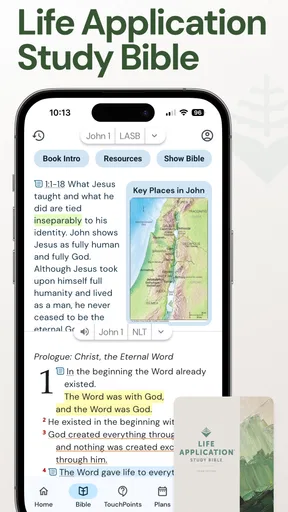
The app opens with a crisp home screen, offering a variety of options like daily verses, reading plans, and study notes. It’s designed to be intuitive, so you can jump right into your study without a steep learning curve. Plus, the customization options let you tweak the interface to suit your preferences—think font size adjustments and color themes.
A Study Session That Stays Focused
When I sit down to read, I try to keep the workflow simple: choose a passage, read it without interrupting myself, then return to the study material for questions that remain. That order matters. Opening every note as soon as it appears can turn a short reading into a chain of tangents, while reading the passage first gives the commentary something concrete to illuminate.
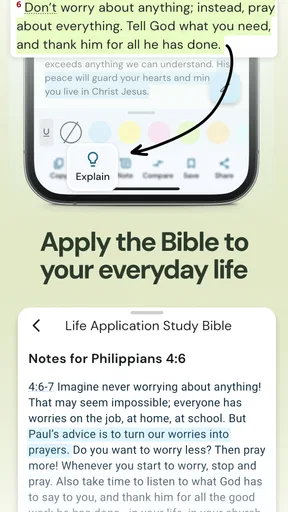
The notes are most useful to me when I treat them as prompts, not as a substitute for the biblical text. I’ll read a paragraph, check the explanation, and then look back at the passage to see which details support the interpretation. That habit is especially helpful for a newcomer who wants orientation without assuming that every explanatory note settles every theological question.
For a repeatable routine, I would choose a manageable passage and make one practical observation after reading: what stood out, what needs more context, and what I want to revisit. Even if you prefer not to keep a written journal, that three-part pause makes it easier to distinguish careful study from simply collecting interesting facts.
Diving Deeper into Features
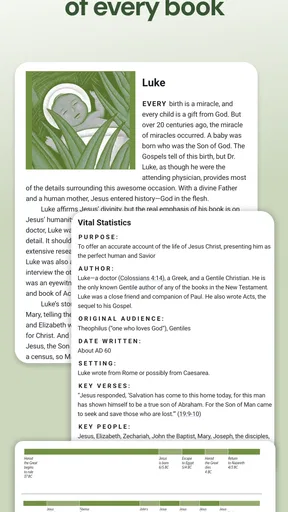
Now, let’s talk about the heart of the app: its features. One of the standout aspects is the comprehensive annotations. These notes offer insights into historical contexts, cultural nuances, and theological interpretations. It’s like having a biblical scholar in your pocket. The app also includes cross-references that link you to related passages, making it a breeze to explore interconnected themes across the scriptures.
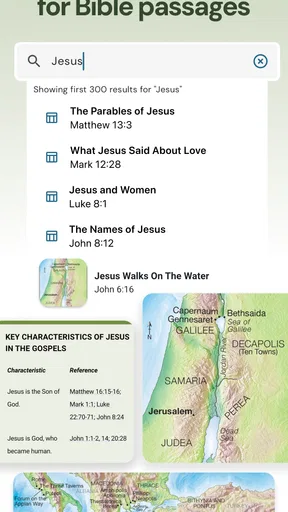
Another feature that caught my eye is the interactive maps. They provide a visual representation of biblical events, which is particularly helpful if you’re a visual learner. Being able to see where things happened adds a layer of understanding that text alone sometimes can’t convey.
And let’s not forget the character profiles. Ever wondered about the backstory of lesser-known biblical figures? The app’s detailed profiles shed light on their roles and significance, enriching your reading experience.
Small Settings That Make Reading Easier
I would check the text size and color presentation before beginning a longer session rather than adjusting them in the middle of a passage. A comfortable display makes it easier to stay with the text, and a quick test on the screen you actually use is more useful than choosing a setting based on how it looks in a menu. If you often read at night or outdoors, try the same passage in those conditions too; readability can change with the surrounding light.
The most valuable “shortcut” here is a personal routine, not a hidden control. Pick a book or topic, use the passage’s notes when a question genuinely arises, and follow cross-references only when they help answer that question. The maps and character profiles are worth opening when location or identity is central to the passage; otherwise, they can become pleasant distractions that eat up the time you meant to spend reading.
For a group discussion, I’d use the app before the meeting to identify a few questions, then bring those questions rather than treating the commentary as a script. In a study group, different readers may interpret a passage differently, and a study note can give the conversation a starting point without replacing it. This is a practical way to benefit from the app’s depth while leaving room for other perspectives.
Where It Fits Among Bible Apps
A plain Bible reader is usually the better choice if you want a lightweight place to look up a verse quickly, compare translations, or read without commentary alongside the text. A printed study Bible can be preferable if you like writing in margins, keeping several pages visible, or studying away from a screen. This app sits between those options: it brings a guided study experience to a phone, with explanations and visual aids close to the passage.
That guidance is also a trade-off. Commentary can help connect details and raise useful questions, but it naturally shapes what you notice first. If you are doing academic work, preparing a sermon, or comparing interpretations, I would use it as one resource and consult other trusted sources rather than relying on one study Bible alone. Readers who want a minimalist reading interface may find the added material more distracting than helpful.
There is also a practical purchase decision. The app costs $19.99, while in-app purchases range from $0.99 to $299.99 per item, so I would inspect the purchase details carefully before committing to any additional content. Its 4.6 average comes from around 2.3 thousand ratings, and it has more than 10 thousand installs. It is marked for Everyone, but that age label does not tell you whether its approach to study is the right fit for your beliefs or reading habits.
Personal Experience and Usability
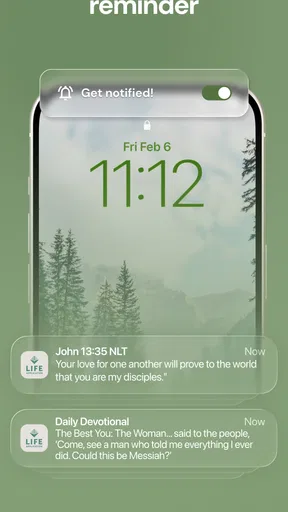
Using the app feels like an adventure, and it’s easy to lose track of time as you explore. One of my favorite aspects is the daily devotionals. They offer a moment of reflection to start or end your day on a thoughtful note. The app also syncs across devices, so whether you’re on your phone or tablet, your progress is always up to date.
While the app is packed with features, it manages to maintain a seamless performance. I haven’t encountered any lag or crashes, even when navigating through extensive notes and multimedia content. The developers have done a stellar job ensuring a smooth user experience.
A Realistic Daily Rhythm—and Its Limits
Imagine having a few quiet minutes before work and wanting to read a passage without turning it into a long research session. I’d open the reading plan or choose the passage I had in mind, read first, and use a note only if it clarified something I was unsure about. If the question is about where an event happened, a map may help; if it concerns a person’s role, the profile may be more relevant. Then I’d stop at one takeaway rather than trying to explore every linked topic before the day begins.
For a longer weekend session, the opposite approach can work: follow a cross-reference, compare related passages, and use notes to build a broader picture. The useful distinction is between a quick devotional check-in and a deliberate study session. The app can support both, but it is easier to enjoy its depth when you decide how much time you have before you start.
One limitation of any commentary-centered tool is that an explanation can feel definitive simply because it appears next to the text. I recommend asking whether a note is explaining background, offering an interpretation, or suggesting an application; those are different kinds of help. Readers who need a particular Bible translation, specialized scholarly apparatus, or a wide range of denominational viewpoints should check that the app’s available material meets their needs before making it their main study resource.
Tecarta, Inc. develops the app, which belongs to the books and reference category. It was released on April 12, 2013, and its central appeal is still easy to understand: it gives readers a guided way to engage with scripture rather than leaving them alone with a block of text. The 727 reviews offer another signal of an established audience, but I would base a decision chiefly on whether you want this kind of study aid and whether the cost makes sense for your routine.
Conclusion: A Worthwhile Spiritual Companion
If you’re looking for a tool to deepen your understanding and appreciation of the Bible, the Life Application Study Bible app is a fantastic choice. With its array of features, insightful annotations, and user-friendly design, it’s a powerful companion for both new and seasoned readers alike.
It’s more than just an app; it’s a gateway to a richer, more informed exploration of scripture. So, whether you’re on a spiritual journey or just curious to learn more, this app is definitely worth considering for your digital library.
Who I’d Recommend It To
I’d recommend it most to readers who regularly ask what a passage meant in its setting and how that understanding might inform everyday life. Beginners can use the notes as a foothold, while experienced readers may appreciate having context, related passages, maps, and profiles together in one reading environment. The key is to stay curious: use the explanations to guide further thought instead of letting them do all the thinking for you.
I’d steer someone toward a simpler Bible app if their main goal is quick verse lookup or uninterrupted reading, and toward a print edition if they prefer paper, handwriting, or a page spread they can scan at once. It is also not the best fit for a reader who wants commentary-free meditation or needs a broad comparative study tool. For everyone else, the best test is whether the notes make you return to the passage with better questions. If they do, this app can earn a steady place in your reading routine.
Verdict
Strengths of Life Application Study Bible
- Comprehensive study resources available.
- User-friendly navigation and layout.
- Offline access enhances usability.
- Regular updates with new content.
- Cross-references enrich understanding.
Limitations of Life Application Study Bible
- Requires significant storage space.
- Some features are behind a paywall.
- Ads can be distracting at times.
- Initial setup may be confusing.
- Limited customization options.
Other Releases by Tecarta, Inc.
View All
Holy Bible King James + Audio
Books & Reference4.8

Life Bible
Books & Reference4.8

NIV Bible
Books & Reference4.9
Similar Picks in This Category
View All
Google Play Books & Audiobooks
Google LLC4.7

네이버 - NAVER
NAVER Corp.3.5

Wattpad - Read & Write Stories
Wattpad.com3.7

King James Bible - Verse+Audio
Ozion4.8

Bible Offline-KJV Holy Bible
Bíblia Offline4.9

Amazon Kindle: Reading App
Amazon Mobile LLC4.8
Frequently Asked Questions
What is the Life Application Study Bible app?
The Life Application Study Bible app is a digital version of the popular Life Application Study Bible. It provides users with access to a comprehensive Bible study tool, including commentary, study notes, and cross-references designed to help readers understand and apply biblical truths to their daily lives. The app is available on both Android and iOS platforms.
Does the Life Application Study Bible app require an internet connection?
The app does not require a constant internet connection to access the core features like reading the Bible or study notes. However, some features such as downloading additional content or accessing certain multimedia resources may require an internet connection. It's advisable to download necessary resources when connected to Wi-Fi.
Are there any in-app purchases or subscriptions in the Life Application Study Bible app?
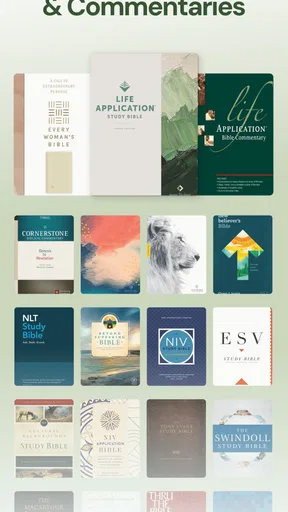
Yes, the app may offer in-app purchases or subscriptions for additional study materials, translations, or multimedia content. While the basic version provides ample resources, users looking for a more extensive study experience may choose to purchase these additional features to enhance their understanding and application of the Bible.
Can I customize my reading experience in the Life Application Study Bible app?
The app offers various customization options to enhance your reading experience. Users can adjust font size, switch between different Bible translations, and choose from light or dark themes. These features help create a personalized and comfortable reading environment, catering to individual preferences.
Is the Life Application Study Bible app suitable for beginners?
Absolutely. The app is designed to be user-friendly and caters to both beginners and seasoned Bible readers. It provides clear explanations, practical applications, and comprehensive study guides that are easy to follow. This makes it an excellent tool for anyone looking to deepen their understanding of biblical teachings.
